
This document provides a detailed introduction to the simplified Chinese version, including a list of functions and instructions for use
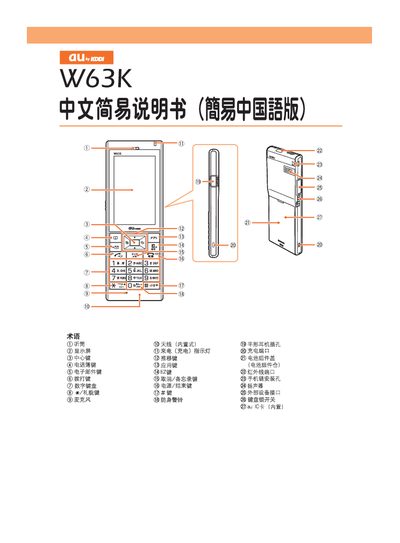
This manual describes the basic operation of the VO3K mobile phone, which features a keypad, display, earphone jack, charging port, and built‑in antenna. It explains how to turn the device on or off, set up default Zweb email settings, and check your phone number and email address.
The guide covers essential functions such as dialing and ending calls, saving contacts, sending and receiving emails, making international calls, using silent mode, receiving voicemail, and playing voice messages. It also provides a free‑call customer service number for further assistance. This manual is written in Chinese.
Press and hold the power button for more than one second.
On the standby screen, enter the phone number you want to call and press the call key.
After registering for EZweb, select "New Email", enter the recipient address, subject, and message, then press the send key.