
This document introduces the features and characteristics of the Simplified Chinese version
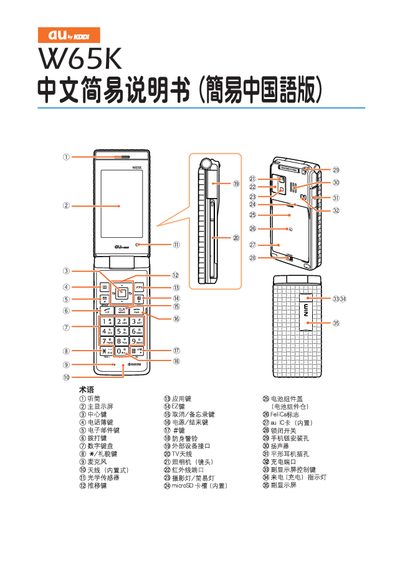
The VW65K manual provides step‑by‑step instructions for turning the device on and off, making and receiving calls, sending and reading emails, and using the built‑in camera. It also explains how to adjust volume, manage contacts, and use additional functions such as voicemail and international dialing.
Additional sections cover how to switch the phone to silent mode, receive voice messages, and play stored voice recordings. Contact information for customer service is provided at the end of the guide. This manual is written in Chinese.
Press and hold the power key for more than one second.
From the standby screen, enter the phone number and press the call key.
From the standby screen, select “New Mail”, enter the recipient address, subject, and message, then press the send key.