
This document is about 简易中国语版 , which introduces its features and characteristics.
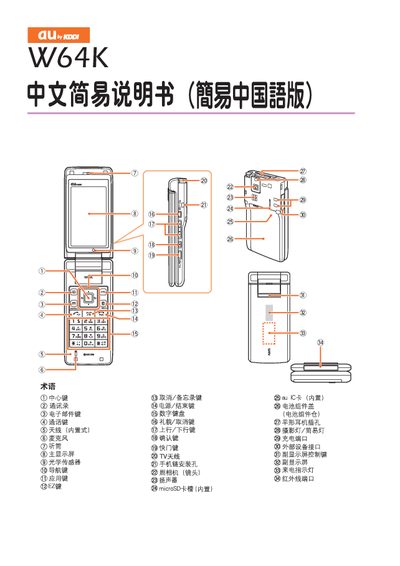
This manual explains how to configure the device, use the EZweb messaging feature, and operate the built‑in camera. It also covers basic audio controls such as muting and unmuting.
The guide includes screen‑by‑screen instructions, button‑press sequences, and tips for saving and sending messages, taking photos, and managing sound settings. This manual is written in Chinese.
Press the mute button for more than one second to cancel mute mode.
Press the camera button, select the photo mode, and then press the capture button to take a picture.
Open the EZweb function, compose your message, and send it from the screen.