
The document provides information about the J-601 caller ID device. The J-601 caller ID device has multiple features and characteristics.
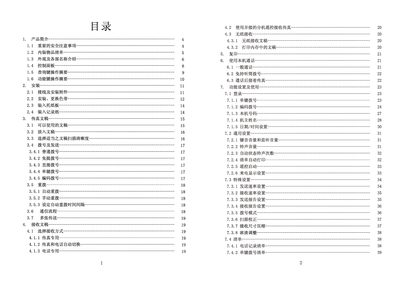
This manual covers all aspects of the CJT J-601 fax machine, including safety precautions, unpacking, component identification, and detailed descriptions of the control panel and function keys. It guides users through installation, wiring, ribbon replacement, paper loading, and document transmission settings.
Additional sections explain general and special settings, list configuration options, and provide troubleshooting and maintenance procedures such as cleaning the print head, clearing paper jams, and resolving common error conditions. This manual is written in Chinese.
| Input voltage | AC 220 V 50 Hz |
|---|---|
| Standby power consumption | ≈18 W |
| Dimensions (W × H × D) | 318 × 210 × 150 mm |
| Weight | ≈3.4 kg |
| Maximum record paper length | 297 mm |
| Supported document sizes | A4, B5, US Legal/Letter |
| Maximum document width | 216 mm |
| Document thickness (single sheet) | 0.08 mm – 0.13 mm |
| Document thickness (multiple sheets) | 0.08 mm – 0.11 mm |
Check that the power cord is plugged in and that the mains voltage matches the required 220 V 50 Hz, then verify the power outlet with another appliance.
Turn off the machine, disconnect power and telephone lines, open the scanner cover, press the protective cover down, and gently wipe the print head and roller with a soft cloth slightly dampened with alcohol.