
This document is a quick use guide for DVDR 560H, which describes the features, functions, and usage instructions of the product.
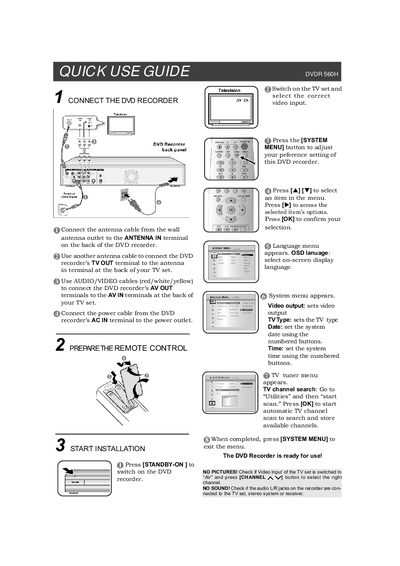
The guide explains how to connect the DVDR560H to a TV and power source. It details antenna, AV, and power cable connections, as well as using the remote control to turn the unit on and navigate the system menu.
It also provides short instructions for playing back DVDs or HDD files, selecting disc formats, and recording onto DVD+R/RW or the internal hard drive, including how to set recording modes and finalize discs for compatibility with other players.
| Recording Mode M1 duration | 1 hour |
|---|---|
| Recording Mode M2 duration | 2 hours |