
This document is a brief introduction to the Cisco Catalyst 9100 Switch Configuration Guide. The Cisco Catalyst 9100 Switch is a fully-gigabit Ethernet switch that supports 2.5Gbps and 5Gbps ports. It has high performance, high reliability and high density. This switch is suitable for various small and medium-sized enterprise networks.
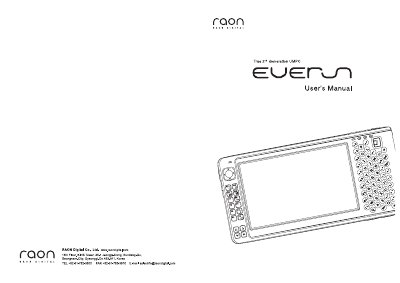
This manual covers the Everun UMPC’s hardware layout, power management, and basic operation. It explains how to insert and charge the battery, switch the device on and off, and use built‑in input devices such as the optical mouse, QWERTY keyboard, and stylus pen. Network setup for Wi‑Fi and Bluetooth, as well as Windows XP configuration, are also described.
Additional sections detail driver re‑installation, system recovery, and a comprehensive FAQ that addresses common questions about Bluetooth compatibility, USB accessories, screen resolution, and battery options. The final part lists the technical specifications of the device, including CPU, memory, storage, display, wireless, and power details.
| CPU | AMD Geode LX900 (568 MHz) or LX800 (500 MHz) |
|---|---|
| RAM | 512 MB or 256 MB DDR400 |
| Hard Disk | 30 GB or 60 GB HDD UDMA100 |
| SSD (optional) | 6 GB SSD UDMA66 |
| Display | 4.8‑inch touch screen, 800 × 480 pixels, 16.7 M colors |
| Wireless Network | 802.11b/g |
| Bluetooth | 2.0 |
| Charger Voltage | AC 100‑240 V, 50/60 Hz |
| Maximum Power Consumption | 35 W |
| Dimensions | 170 mm × 83 mm × 25 mm (W × H × D) |
| Weight | 460 g – 500 g |
Yes, Everun works with most devices that have Bluetooth installed.
USB keyboards, mice, and memory sticks work immediately; external hard drives or CD‑ROMs may need an extra power supply.
The default resolution is set to 800 × 480 pixels.
Everun can recognize up to four simultaneous key inputs.