
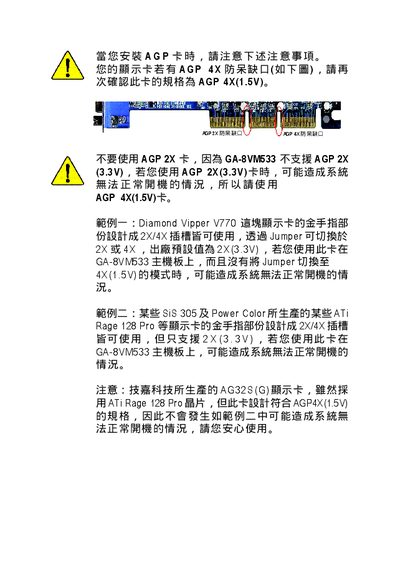
This document describes the precautions to be taken when installing an AGP card, including not using an AGP 2X card, using an AGP 4X(1.5V) card, and specific examples. It also states that the AG32S(G) graphics card produced by GIGABYTE Technology complies with the AGP4X(1.5V) specification.
The guide explains how to install the GA-8VM533 P4 Titans series motherboard, covering safety precautions, component placement, and connection of power and data cables. It also details BIOS configuration options and includes reference technical documents.
Key sections include hardware installation steps, BIOS configuration procedures, AGP slot requirements, and an appendix with part numbers and support contacts. This manual is written in Chinese.
| AGP Slot Type | 4X (1.5V) only |
|---|---|
| Unsupported AGP Slot | 2X (3.3V) not supported |
| Motherboard Model | GA-8VM533 |
| BIOS Example Version | F1 |
No. The GA-8VM533 does not support AGP 2X (3.3V) cards and using one may prevent the system from booting.
Disconnect the power supply, avoid touching metal contacts, wear an anti‑static wrist strap, and keep components in anti‑static bags until installation.