
This document provides instructions for installing Linksys' Instant Gigabit series network adapters, including the EG1032 (32-bit PCI card) and EG1064 (64-bit PCI card). The document also provides copyright and trademark information for the products, as well as instructions for limited warranty and return requests.
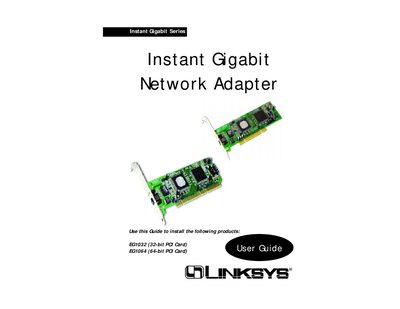
This manual provides step‑by‑step instructions for installing the Linksys Instant Gigabit Network Adapter cards (EG1032 32‑bit PCI and EG1064 64‑bit PCI). It covers hardware installation, driver setup for various Windows versions, and advanced configuration options such as Wake‑On‑LAN and flow control.
Additional sections include system requirements, LED indicators, RJ‑45 port usage, troubleshooting tips, specifications for each model, warranty information, and contact details for Linksys support.
| Maximum data throughput | 2000 Mbps full‑duplex |
|---|---|
| Supported Ethernet speeds | 10/100/1000 Mbps |
| PCI bus architecture | 32‑bit (EG1032) / 64‑bit (EG1064) |
| Minimum system RAM | 16 MB |
| Processor requirement | Pentium 90 MHz or faster |
| Warranty | One year limited warranty |
The adapter is covered by a one‑year limited warranty.
The adapter works with Windows 95 (or higher), Windows 98, Windows Millennium, Windows NT 4.0, Windows 2000, and Linux/other open‑source systems.
Use Category 5e or better unshielded twisted‑pair cabling; Category 3 can be used for 10BaseT segments.