
The Linkstation upgrade guide explains how to upgrade the HD-HALN series Linkstation, including downloading the latest firmware, extracting files, and performing the upgrade.
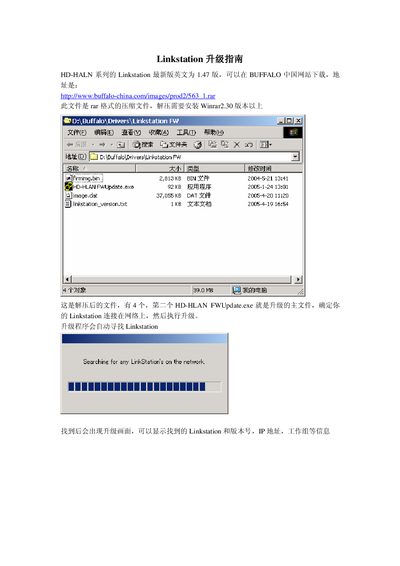
This guide explains how to obtain the latest firmware (version 1.47) for the Buffalo HD‑HLAN series LinkStation from the Buffalo China website, extract the provided RAR archive, and prepare the four files needed for the upgrade. It also describes the use of the HD‑HLAN Firmware Updater utility to locate the device on the network and start the update.
During the upgrade, the utility displays the device’s IP address, workgroup, and current version. Users are instructed to click **Renew Firmware** and to avoid powering off the unit or performing other tasks until the process completes. If the update fails, the guide advises re‑searching for the device and retrying the upgrade. This manual is written in Chinese.
| Firmware version | 1.47 |
|---|---|
| Firmware package size | 2.813KB |
The firmware can be downloaded from the Buffalo China website as a RAR archive.
Search for the LinkStation on the network again and repeat the upgrade process.