
This document provides information on the installation, usage, and precautions of the product, including important preventive measures, installation requirements, and usage instructions.
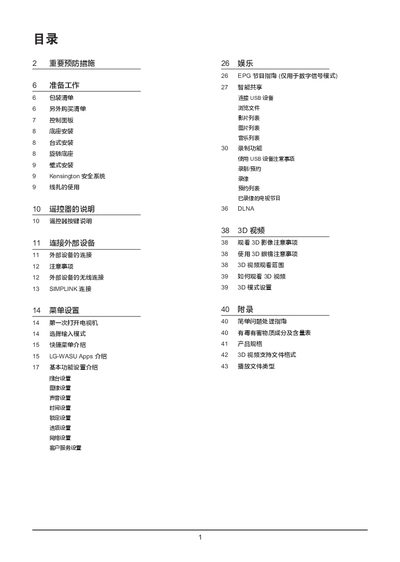
This LG 42LW5500-CA user manual provides safety precautions, unpacking checklist, and detailed installation instructions for floor‑standing, tabletop, rotating base and wall‑mount setups. It also covers the Kensington security system, cable management, and optional accessories.
The guide explains remote‑control operation, menu navigation, external device connections, 3D video viewing, and troubleshooting tips. A complete specification table lists dimensions, weight, power consumption, display performance and supported video/audio formats. This manual is written in Chinese.
| Model | 42LW5500-CA |
|---|---|
| Screen size (diagonal) | 1067.31 mm |
| Brightness | ≥200 cd/m² |
| Contrast ratio | ≥200:1 |
| Resolution | 1920 × 1080 |
| Power consumption (operating) | 140 W |
| Power consumption (standby) | <1 W |
| Weight (with stand) | 15.5 kg |
Use a VESA‑compatible wall‑mount bracket, secure it to a solid wall, and follow the mounting instructions in the wall‑mount section.
Check that the remote’s batteries are installed with correct polarity, ensure no objects block the sensor, and verify the remote is pointed at the TV.
Only LG‑branded 3D glasses are guaranteed to work; other glasses may not display 3D video correctly.