
This manual introduces the hardware operations of the iriver H10 player, including accessories, control icons, LCD screen display, connecting the player, and installing software.
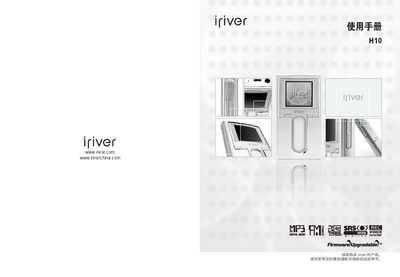
This manual covers everything you need to know to safely set up and use the iriver H10 media player, including safety warnings, quick‑start instructions, and detailed operation procedures for music playback, FM radio, recording, and browsing photos or text.
Additional sections describe how to connect the player to a computer, install the iriver Plus software, perform firmware upgrades, and resolve common issues. Technical specifications and regulatory information are provided at the end of the document. This manual is written in Chinese.
| Hard drive capacity | 5 GB |
|---|---|
| File system | FAT‑32 |
| Battery | DC 5.0 V, 2.0 A |
| Color depth | 260,000 colors |
| Playback time | ≈12 hours (MP3 128 kbps, volume 20, EQ Normal, LCD off) |
| Audio frequency range | 20 Hz – 20 kHz |
| Headphone output power | 18 mW (L) + 18 mW (R) at 16 Ω |
| FM radio frequency range | 87.5 MHz – 108 MHz |
| Supported file formats | MP3, WMA, TXT, JPG (non‑progressive) |
Connect headphones, as they act as the radio antenna, and try moving the player and headphones to a better position. Keep nearby electronic devices turned off to reduce interference.
Use the supplied data cable to connect the player’s USB 2.0 port to a computer, then install the iriver Plus software for file transfer and management.