
This product is a multi-function printer, copier, scanner, supporting a variety of paper sizes and weights, can be double-sided printing, double-sided copying, binding, punching, booklet making/folding, folding, inserting device and other operations.
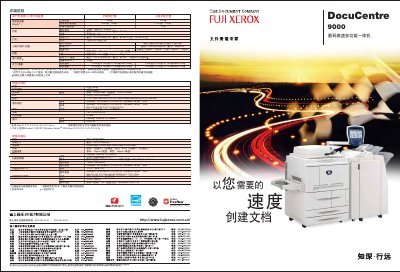
The DocuCentre 9000 is a high‑performance digital multifunction system that combines fast printing, copying, scanning and finishing functions. It supports up to 90 ppm printing on A4 paper, 90 ppm scanning, and offers 1,200 dpi print resolution for sharp output. The device includes large paper capacities, optional finishing units for stapling, hole‑punching and booklet making, and a 10.4‑inch high‑resolution color LCD touch panel for easy control.
Network connectivity is provided via TCP/IP, SMB, FTP and other protocols, and the integrated ApeosWare Flow Services enable scanning to email, network folders or cloud services. Security features such as user‑ID verification and watermarking protect confidential documents. The guide covers installation, paper handling, configuration of print drivers, and maintenance procedures. This manual is written in Chinese.
| Print speed | 90 ppm (A4) |
|---|---|
| Scan speed | 90 ppm (A4 single‑sided) |
| Print resolution | 1,200 × 1,200 dpi |
| Maximum paper capacity | 8,050 sheets |
| Power supply | AC220‑240 V ±10 %, 15 A, 50/60 Hz |
| Dimensions (W×D×H) | 1,275 mm × 781 mm × 1,455 mm |
It can print up to 90 pages per minute on A4 paper.
The device can hold up to 8,050 sheets of paper.
It supports TCP/IP, SMB, FTP and related protocols for printing and scanning.
Yes, using ApeosWare Flow Services the scanner can send scanned files via email.