
This document is the instruction manual for the digital multimeter, which mainly introduces the performance, names and descriptions of each part, and safety measurements and precautions.
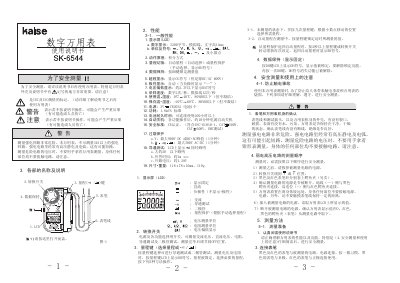
This manual provides safety warnings and proper usage instructions for the SK-6544 digital multimeter. It explains how to prepare the instrument, connect test leads, select ranges, and lock measurement values.
The document also lists technical specifications such as display characteristics, power source, operating temperature, overload protection, and physical dimensions. Users are guided through measurement procedures for voltage, resistance, continuity, and diode testing. This manual is written in Chinese.
| Display resolution | 3200 characters |
|---|---|
| Display size | 14 mm high characters |
| Power source | 3 V CR2032 battery |
| Power consumption | 1.8 mVA (standard) |
| Battery endurance | over 200 hours continuous use |
| Auto‑off time | ≈10 minutes after operation |
| Maximum measurable voltage | 600 V DC/AC (overload up to 900 V DC) |
| Overload protection (DC) | 900 V (1 min) |
| Overload protection (AC/DC) | 300 V (1 min) |
It uses a single 3 V CR2032 button cell battery.
It automatically powers off about 10 minutes after the last operation.
No, it is not designed to measure circuits above 3 kV; doing so is dangerous.
Press the DH key; the LCD shows a DH symbol and the value is held until DH is pressed again.