
This document describes the features and characteristics of the Kodak KE50 35 mm camera, including its compliance with FCC rules for operation and the potential interference it may cause to radio communications and suggestions on reducing interference.
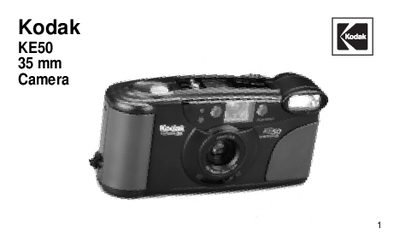
This manual covers everything you need to know to get started with the Kodak KE50 35 mm auto‑focus camera, including loading batteries and film, using the flash, and operating the self‑timer. It also contains a detailed camera identification guide and specifications for the lens, flash unit, and power source.
Additional sections address FCC compliance, how to reduce radio interference, and special instructions for the quartz date‑back model, along with a troubleshooting guide for common issues.
| Lens | 29 mm, glass |
|---|---|
| Flash unit | KODAK SENSALITE TM Flash with automatic power down |
| Shutter speed | Programmed |
| Film speed (ISO) | DX (ISO) 100, 200, or 400 |
| Focus range | Daylight: 3 ft (0.9 m) to infinity |
| Power source | 2 AA‑size alkaline batteries |
| Dimensions | 5.4 x 2.7 x 1.7 in (136.3 x 68.7 x 43.9 mm) |
| Weight | Approx. 7.0 oz (197 g) |
Reorient or relocate the receiving antenna, increase the separation between the camera and the receiver, or consult a qualified radio‑television technician.
The camera uses two AA‑size alkaline batteries.
Press the Mode button, use the Select button to choose year, month, and day, then press the Set button to confirm each value.