
This is a scanner instruction manual, which includes the scanner's system requirements, precautions before use, operating instructions and other content.
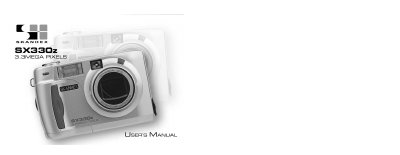
This manual covers everything you need to start using the SKANHEX SX330z digital camera, from unpacking and battery installation to connecting the camera to a computer via USB. It includes detailed instructions for taking pictures, using flash, adjusting focus, and navigating the LCD menu.
Additional sections describe advanced functions such as burst shooting, self‑timer, digital zoom, and playback options, as well as care, storage, technical details, and troubleshooting tips to keep the camera operating reliably.
| Camera type | Digital camera with LCD monitor, built‑in flash CCD |
|---|---|
| Sensor | 1/1.75 inch interline CCD, 3,310,000 pixels |
| ISO sensitivity | Equivalent to ISO 100 |
| Lens focal length | 8 to 24 mm (38‑114 mm equivalent) |
| Aperture | F 3.4‑3.6 |
| Digital zoom | Maximum 2× in telephoto mode |
| Recording medium | CF card (Type 1) |
| Maximum image resolution | 2048 × 1536 pixels (Full size) |
| Power supply | 4 × AA alkaline or AA Ni‑MH batteries (no lithium) |
| Dimensions (W×H×D) | 116 × 73 × 62 mm |
| Weight | ≈ 280 g (without batteries and CF card) |
| Operating temperature | 0 °C to 40 °C (32 °F to 104 °F) |
It runs on four AA‑size alkaline batteries or four AA‑size Ni‑MH rechargeable batteries; AA lithium batteries are not supported.
The camera can capture images up to 2048 × 1536 pixels in full‑size mode.
Connect the camera via the USB port and install the provided USB driver software for Windows or Macintosh.
It is designed to operate between 0 °C and 40 °C (32 °F to 104 °F).