
This manual details the use of the DY K-2200 CD/MP3 digital audio player, including wiring instructions, main unit installation, panel function description, power on/off, volume adjustment, sound effect mode selection, band switching, radio search, preset storage, playback control, mute control, audio input control and so on.
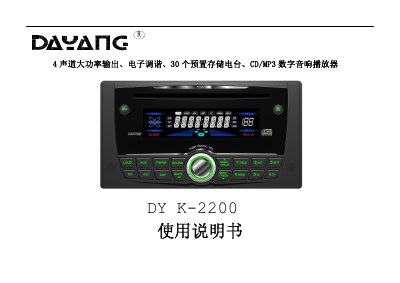
The DY K-2200 is a 4‑channel, high‑power digital hi‑fi player with CD/MP3 playback, FM/AM radio, and electronic tuning. It is designed for automotive installation and includes auxiliary inputs, clock display, and multiple sound‑effect modes.
The manual covers wiring diagrams, chassis installation, panel button descriptions, basic operation (power, volume, sound modes, clock setting), radio tuning, CD functions, CDC port control, safety precautions, power specifications, and a simple fault‑troubleshooting guide. This manual is written in Chinese.
| Rated Voltage | DC 12 V (range 10.8–15.6 V) |
|---|---|
| Maximum Current | 10 A |
| Output Power | 40 W × 4 channels (max) |
| Dimensions (L×H×W) | 160 mm × 50 mm × 178 mm |
| Weight | 1.9 kg |
| Operating Temperature | -10 °C to +60 °C |
| Frequency Response (Audio) | 10 Hz – 20 kHz |
| Signal‑to‑Noise Ratio | ≥50 dB (FM) / ≥40 dB (AM) |
Press and hold the DSP button for about 2 seconds to make the hour digits flash, turn the volume knob to adjust hours, press DSP again to switch to minutes, adjust with the volume knob, and press DISP to exit.
Check the wiring for faults or a blown 10 A fuse, then replace the fuse if necessary.
While a CD is playing, press the FM/AM button to switch to radio mode, or press the CD eject button to return to CD playback.
Press the SOUND button to enter sound‑effect mode, then rotate the volume knob to cycle through BASS, TREBLE, BAL (left‑right balance), and FAD (front‑rear balance) adjustments.