
CHC-300 Capacitive Height Controller is a compact, innovative, full-featured, high-precision and reliable capacitor height controller, which is suitable for flame cutting torches, small-power plasma cutting torches and laser cutting torches on CNC cutting equipment that need to be automatically height-controlled.
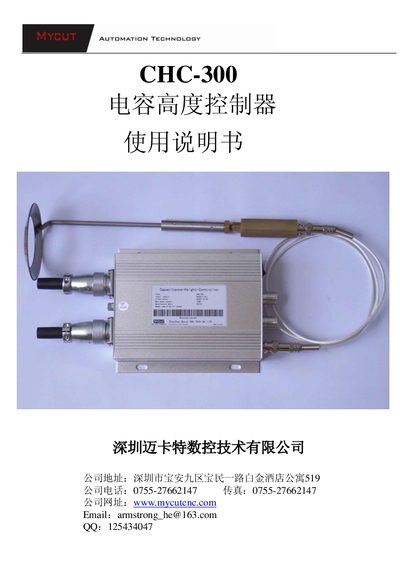
The CHC-300 capacitor height controller is a compact, high‑precision closed‑loop system designed for CNC cutting machines such as flame, plasma and laser cutters. It uses a capacitive sensor probe to detect the gap between the torch and the workpiece and drives a DC motor to automatically adjust the height.
The document covers technical specifications, physical installation, panel functions, interface wiring, setup procedures, sensitivity and height adjustments, as well as common fault diagnostics and maintenance instructions. This manual is written in Chinese.
| Supply voltage | AC24V ±10%, 50‑60 Hz |
|---|---|
| Motor voltage | DC24V permanent‑magnet DC motor |
| Output current | 1 A‑4 A |
| Working temperature | -10 °C to 60 °C |
| Accuracy | ±0.2 mm |
| Height adjustment range | 1 mm – 20 mm |
| Maximum output power | 100 W |
| High‑frequency cable length | 200 mm – 1200 mm |
| Dimensions (L×W×H) | 150 mm × 133 mm × 47 mm |
| HF cable temperature rating | -10 °C to 200 °C |
Turn the Height potentiometer clockwise to its maximum position (torch highest) before the first use.
When set to Auto, external automatic signals from the CNC are accepted; when set to Hand, those signals are ignored and the controller stays in manual mode.
Rotate the Sensitivity potentiometer clockwise to increase sensitivity, or counter‑clockwise to decrease it.