
C-Root I (VI) is an electronic instrument used to locate root canal length and perform pulp vitality testing.
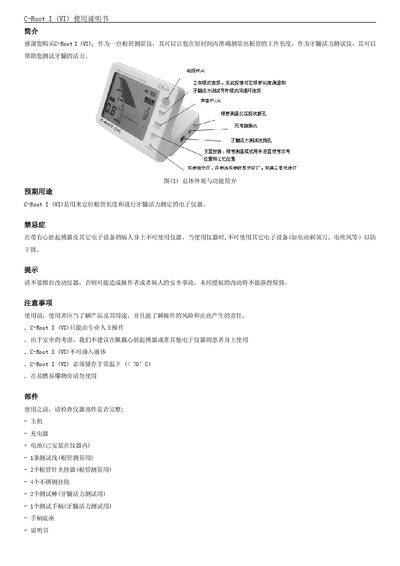
This manual provides a complete overview of the C-Root I (VI) root canal length meter, including its intended use for locating canal length and testing pulp vitality, safety warnings, and a detailed parts list. It also describes the LCD screen functions, charging procedure, sound control, and mode selection between apex locating and pulp testing.
Operational instructions cover step‑by‑step procedures for measuring canal length, setting apex reference positions, using memory positions, and performing pulp vitality tests. The document ends with troubleshooting tips, service and maintenance guidelines, warranty information, and technical parameters such as battery voltage and operating temperature range. This manual is written in Chinese.
| Battery | 7.4 V lithium‑ion rechargeable |
|---|---|
| Device type | Low‑frequency (LF) device |
| Flammable environment | Not for use in flammable/explosive areas |
| Operating temperature | –20 °C to +60 °C |
| Operating humidity | 10 % to 90 % |
| External charger input | AC 100‑240 V 50/60 Hz |
| External charger output | DC 10 V 1.5 A |
Charging takes about 4 hours, or up to 8 hours if the device has not been used for a long time.
No. The manual states the instrument must not be used on patients with a cardiac pacemaker or other electronic devices.
In standby mode, press the SET button; the apex reference position will flash and can be set.