
The TE-W series temperature control meter is a temperature control instrument with display and control functions. It adopts dual-degree-of-freedom PID algorithm and has self-tuning function for heating control. This series of temperature control meters can accept input signals from thermocouples and thermal resistances, and provide relay output or solid-state relay output. It also has one alarm function and can provide multiple alarm modes.
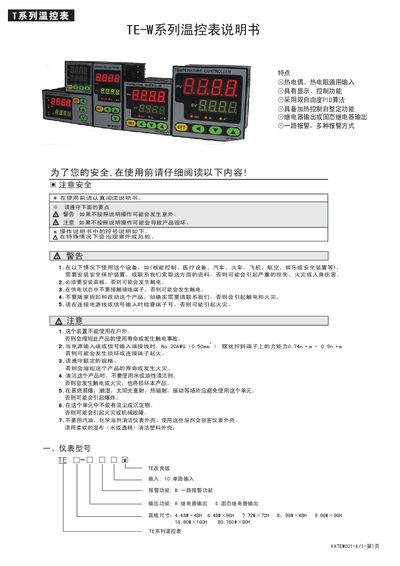
This manual describes the TE KKTEWC01-A/1 temperature controller, covering its model options, panel sizes, input types, and key features such as dual‑degree PID control and relay or solid‑state relay outputs. It includes detailed wiring diagrams, power supply requirements, and safety warnings for proper installation and use.
The document also explains how to navigate the menu, adjust PID parameters, set alarm thresholds, and perform self‑tuning. A troubleshooting section helps identify common issues like input disconnection or incorrect signal selection, while the specifications table lists operating temperature, humidity, resolution, and output capacities. This manual is written in Chinese.
| Panel size options | 4:48W×48H, 6:48W×96H, 7:72W×72H, 8:96W×48H, 9:96W×96H, 16:80W×160H, 80:160W×80H |
|---|---|
| Input type | Thermocouple, RTD (热电偶、热电阻通用输入) |
| Control algorithm | Dual‑degree PID |
| Output type | Relay or solid‑state relay |
| Relay output capacity | 3 A / 250 V AC |
| Power supply voltage | AC/DC 100‑240 V |
| DC output voltage | 24 V, 30 mA |
| Thermocouple resolution | 1 °C |
| RTD resolution | 0.1 °C |
| Operating temperature range | 0‑50 °C |
| Operating humidity | 45‑85 % RH |
Enter the settings menu, select the alarm function, and adjust the upper (HH) and lower (HL) limits or deviation values (dH, dL) as needed; confirm with the SET key.
Panel sizes include 48 mm × 48 mm, 48 mm × 96 mm, 72 mm × 72 mm, 96 mm × 48 mm, 96 mm × 96 mm, 80 mm × 160 mm, and 160 mm × 80 mm.