
This is the operating manual of AT48/72/49/96C series digital display PID temperature controller, which mainly introduces the product model selection, panel marking and function, instrument wiring diagram, main technical parameters, simple operation instructions, parameter setting flow chart and other contents
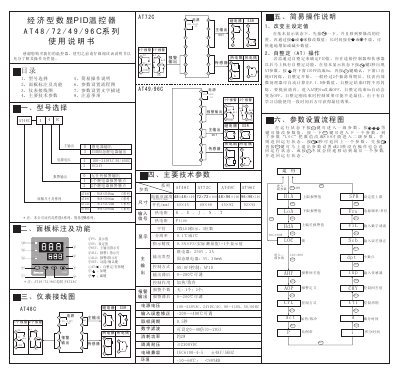
This manual provides detailed information on the AT48/72/49/96C series digital PID thermostats, including model selection, panel functions, wiring diagrams, and main technical specifications. It guides users through basic operation, parameter configuration, self‑tuning procedures, and safety precautions.
The document also explains alarm settings, sensor connections, and troubleshooting steps such as handling alarm failures, temperature control issues, and parameter lock conditions. Users can follow the flowcharts and text descriptions to correctly set up and maintain the thermostats for reliable temperature control. This manual is written in Chinese.
| Power supply voltage | 100‑240 VAC, 50/60 Hz |
|---|---|
| Panel size (AT48C) | 48 mm × 48 mm |
| Temperature range | 0 °C to 200 °C (adjustable) |
| IEC protection rating | ±4 kV/5 kHz |
In the basic display, press the key for 2 seconds to show the AT parameter, change the OFF setting to ON, confirm, and the AT indicator will flash while the controller automatically calculates the PID values after two oscillation cycles.
Verify that the alarm values and hysteresis are set correctly, ensure the Aop (alarm definition) setting is correct, and if the alarm indicator lights but the contacts do not actuate, the contact may be faulty and should be reported to the distributor.
In the basic display, press the key once, move to the desired digit, then use the + or – keys to adjust; holding the key changes the value quickly.