
This document introduces the features and main performance of HB40xM universal intelligent temperature and humidity controller from Hunan Hengnan Chejiangwanxing Road. The controller adopts high-performance microprocessor design and is equipped with high-precision digital temperature sensor from Dallas, USA and long-life patented humidity sensor from France. It has the functions of temperature/humidity digital display and LED indication of operation/working status. It can set the upper/lower limits of temperature/humidity control, as well as the temperature/humidity control mode and the upper/lower limits and alarm mode of alarm temperature/humidity. The controller also has the functions of temperature and humidity sensor open circuit, short circuit protection and alarm. It is suitable for constant temperature and humidity control in greenhouses, incubators and various places.
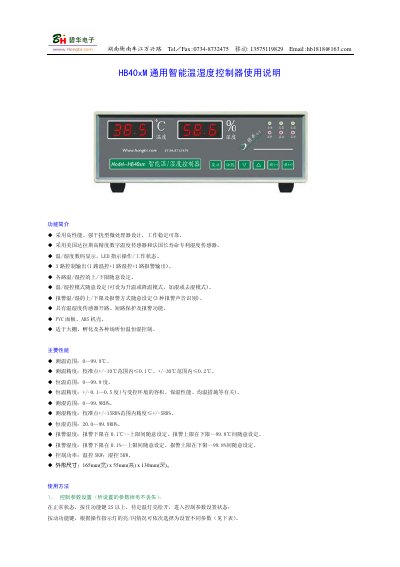
The HB40xM is a general‑purpose temperature and humidity controller designed for greenhouse, hatchery and other environments requiring precise climate control. It features a high‑performance microprocessor, digital temperature and humidity display, three control outputs and configurable alarm functions.
The manual provides detailed instructions for setting temperature and humidity limits, calibrating probes, selecting control modes, resetting to factory defaults, wiring, and maintenance. It also lists the factory configuration, optional accessories and warranty information. This manual is written in Chinese.
| Temperature measurement range | 0–99.9 ℃ |
|---|---|
| Temperature measurement accuracy | ±0.1 ℃ within ±10 ℃, ±0.2 ℃ within ±30 ℃ |
| Humidity measurement range | 0–99.9 %RH |
| Humidity measurement accuracy | ±5 %RH within ±15 %RH |
| Control power (temperature) | 5 kW |
| Physical dimensions | 165 mm × 55 mm × 130 mm (W × H × D) |
Enter the parameter setting mode, then use the MD0/MD1 keys to adjust the lower limit and the +/- keys to adjust the upper limit.
Press the reset button or power‑cycle the unit; if the display is still abnormal, hold the (-) and (+) keys for more than 2 seconds while the unit is in automatic mode.