
SG-S10P smart socket can remotely control the power on or off, and also collect the current working data of the connected electrical equipment, such as working current, working voltage, active power, reactive power, power factor, and positive active total energy.
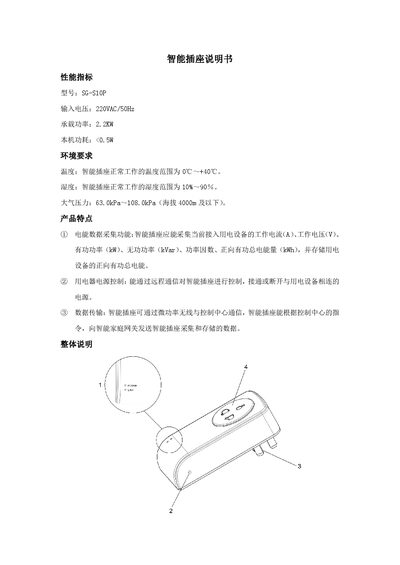
This manual describes the SG‑S10P smart outlet, a device that can collect electrical data, control power remotely, and communicate via low‑power wireless with a home gateway. It lists performance indicators, key features such as current, voltage, power measurement, and remote relay control, as well as data transmission capabilities.
The document also covers physical indicators, manual relay switching, installation instructions, safety precautions, fault types and handling methods, and contact information for support. It is intended for end users and installers to safely set up and operate the outlet. This manual is written in Chinese.
| Model | SG‑S10P |
|---|---|
| Input Voltage | 220VAC/50Hz |
| Rated Power | 2.2 kW |
| Power Consumption | <0.5 W |
| Operating Temperature Range | 0 °C ~ +40 °C |
| Operating Humidity Range | 10 % ~ 90 % |
| Atmospheric Pressure Range | 63.0 kPa ~ 108.0 kPa (≤4000 m) |
The outlet works normally between 0 °C and +40 °C.
Touch the button inside the hole for 1 second with an insulated pointed object to toggle the relay.
The green POWER light indicates that the outlet is receiving power.
Check that the connected power source is supplying electricity and ensure proper connection.