
This document is the user manual for ZYT10 microcomputer time control switch, which introduces the functions and uses, structural instructions, LCD display symbol explanations, main performance parameters, and operating instructions of the product. The product has the features of coordinated use with light, rain, and time control, and can automatically turn on and off the power of various electrical devices according to the user's set time.
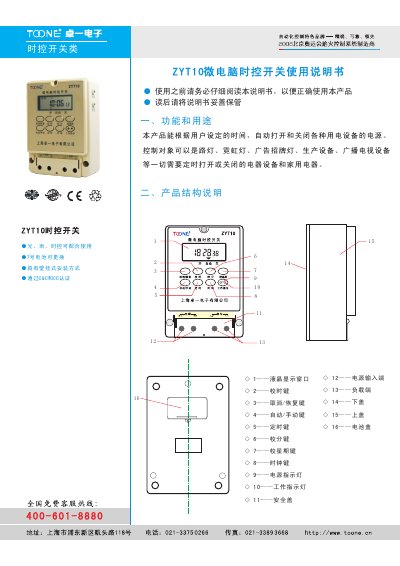
This manual describes the functions and applications of the ZYT10 micro‑computer time control switch, including time, light, and rain control modes, and details the device's structure and LCD display symbols. It also lists the main performance parameters such as voltage, load capacity, timing range, and environmental limits.
Installation instructions cover mounting methods (wall‑mount or rail), wiring diagrams for direct control, single‑phase expansion, and three‑phase setups, as well as safety precautions, maintenance guidelines, and ordering information. This manual is written in Chinese.
| Standard working voltage | AC220V/50Hz |
|---|---|
| Applicable power range | 85%–110% |
| Load capacity (resistive) | 25 A |
| Power consumption | < 4 VA |
| Programmable groups | 16 |
| Timing error | < ±2 s/day |
| Operating temperature | -10 °C – 50 °C |
| Relative humidity | < 95 % |
| Dimensions (L×W×H) | 126 mm × 88 mm × 51 mm |
| Weight | 510 g |
Press and hold the “时钟” (clock) key, then press the “校时”, “校分”, and “校星期” keys to adjust hour, minute, and weekday respectively.
The switch can handle a resistive load up to 25 A.