
The TN4 series infrared thermometer is a non-contact temperature measurement device with multiple mathematical models, which has the characteristics of wide measurement range, high accuracy, and fast response time.
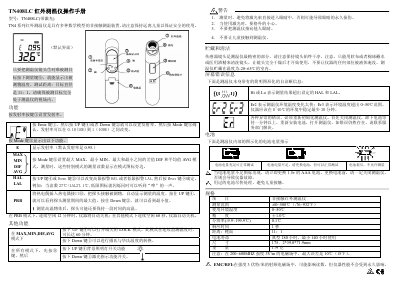
The TN408LC is a non‑contact infrared thermometer with multiple measurement modes, emissivity adjustment, and alarm limits. It measures temperature by aiming the lens at a target with a 11:1 distance‑to‑size ratio and displays readings on the screen.
The manual explains how to operate the device, set parameters, handle battery replacement (1.5 V AAA), and maintain the lens. Safety warnings cover laser use and child protection, while the specifications section lists range, accuracy, response time, and physical dimensions. This manual is written in Chinese.
| Measurement range | -60~500 °C |
|---|---|
| Response time | 1 second |
| Target distance ratio | 11:1 |
| Battery life (typical) | 180 hours |
| Size | 175.2 × 39.0 × 71.9 mm |
| Weight | 179 g |
| Operating temperature range | 0~50 °C |
Press the Emis key, then use the UP or DOWN keys to adjust the emissivity between 0.10 and 1.00, and confirm with the Mode key.
Hi or Lo means the measured temperature is outside the high‑limit (HAL) or low‑limit (LAL) alarm settings.
In PRB mode it powers off after 12 minutes of idle time; in all other modes it powers off after 60 seconds of inactivity.
It uses a 1.5 V AAA battery; replace it when the low‑battery icon appears.