
This document is the user manual for the SC2000B high precision temperature controller. It provides an overview of the temperature controller, its technical specifications, applications, display and interface, control parameter settings, installation methods, and standard configurations.
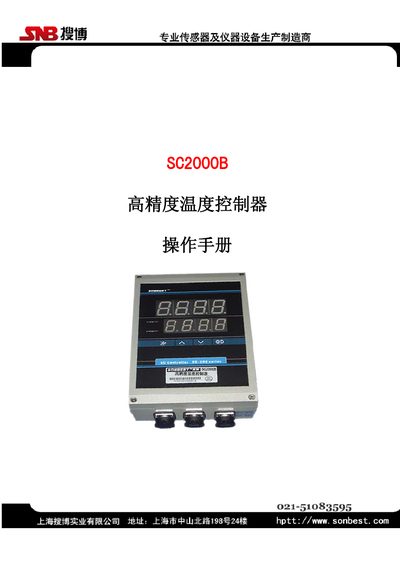
The SC2000B is a high‑accuracy temperature controller built with a microcontroller and intelligent control technology, housed in a protective aluminum case. It is supplied with an imported temperature sensor and is suitable for data‑centers, laboratories, military applications, and other high‑precision measurement environments.\n\nThe manual covers technical specifications, display and interface description, control parameter and alarm settings, wall‑mount installation instructions, and a list of standard accessories included with the unit. This manual is written in Chinese.
| Measurement range | 0-200 |
|---|---|
| Temperature accuracy | ±0.2°C @25°C |
| Sample time | ≈0.4 s |
| Suitable temperature range | -30°C to 120°C |
| Maximum humidity | 80 %RH |
| Mechanical life | ≥3,000,000 cycles |
| Contact capacity | 10 A |
| Operating voltage | AC 220 V |
| Dimensions | 228 × 150 × 74 mm |
Press and hold the SET key for more than 1 second to enter the setting state.
The unit has three connectors: a 3‑pin power plug, a temperature sensor plug, and a 4‑pin aviation plug for control output.
It is wall‑mounted using four mounting brackets fixed to the device’s four legs.