
GC-WIFI Installation Guide, introduces the steps to install GC-WIFI card, antenna, USB cable, and provides FCC Notice (U.S.A. Only) information.
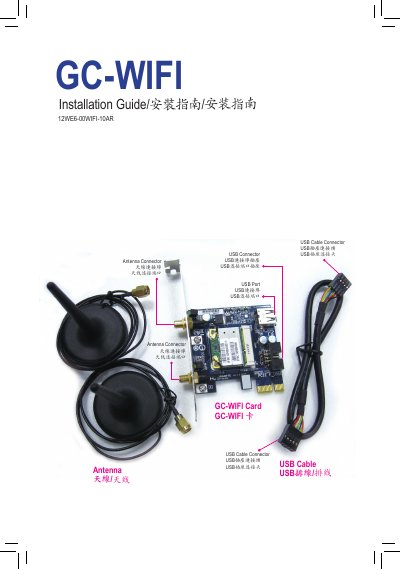
The document provides step‑by‑step instructions for installing the GC‑WIFI card in a PCI Express x1 slot, connecting the USB cable to the card and the motherboard, and attaching the two antenna connectors. After the hardware is in place, the user is instructed to start the computer, install the driver, and configure the wireless LAN settings.
Regulatory information is included, with FCC interference‑mitigation recommendations, European R&TTE compliance statements, and a full Declaration of Conformity listing applicable EMC, safety, and RoHS directives for the PCIe add‑in card. This manual is written in Chinese.
| Product Type | PCIe add‑in card |
|---|---|
| Product Name | GC‑WIFI |