
SC-001Z is a SMS alarm controller compatible with Siemens C25/2588/3508/3518/3568/3618/6618/6688/6686i and other models. It can communicate with the phone by connecting to the phone's headphone interface, and control the device by sending specific SMS commands. It is easy to operate and supports setting authorized phone numbers and passwords.
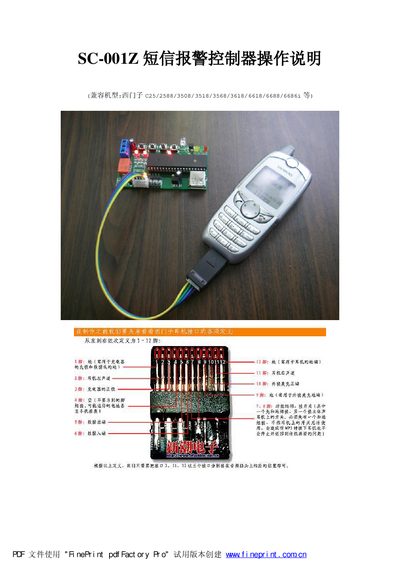
The SC-0012 SMS alarm controller is a four‑channel relay device that can be controlled via SMS messages from authorized Siemens phones. The manual explains how to connect the controller, power it up, and verify communication using the LED indicators.
Key functions include initializing the controller, setting an authorized phone list (up to three numbers), configuring passwords, and customizing output delay times. The document also details infrared learning procedures, DIP switch settings, and the command syntax for controlling each relay output. This manual is written in Chinese.
| Relay outputs | 4 |
|---|---|
| Feedback inputs | 4 |
| Alarm inputs | 4 |
| LED indicators | 3 (run, armed, PC‑software success) |
| Authorized phones | up to 3 |
Set DIP1 to OFF and DIP2 to ON, then press the AN3 button; the controller will reset the password and complete initialization.