
TEMPer 1 temperature meter is a temperature measurement device connected to a computer or other machine via a USB interface. It has an external probe that can be extended to more than 100 meters. The probe is waterproof and can be used with a computer via a USB interface for operation and charging. It can be used to collect temperature data in water, chemical reagents, computer rooms, weather environments and specific environments.
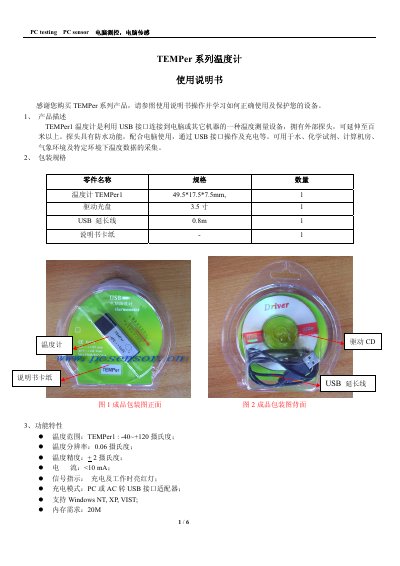
The TEMPer1 is a USB‑connected temperature sensor with a waterproof probe, suitable for measuring water, chemicals, computer rooms, and weather environments. It offers a temperature range of –40 °C to +120 °C, 0.06 °C resolution, and ±2 °C accuracy, and includes features such as data logging, email sending, and curve plotting.
The manual explains how to install the USB driver and required .NET framework, connect the device, and use the TEMPer software for real‑time measurement, data recording, curve generation, and email export. It also covers configuration options, data import, and important precautions for humidity, temperature limits, and USB cable length. This manual is written in Chinese.
| Temperature range | -40 °C to +120 °C |
|---|---|
| Resolution | 0.06 °C |
| Accuracy | ±2 °C |
| Current consumption | <10 mA |
| Memory requirement | 20 MB |
| Dimensions | 49.5 × 17.5 × 7.5 mm |
| USB extension cable length | 0.8 m |
It can measure from –40 °C up to +120 °C.
Do not use overly long USB extension cables; if extension is needed, use a quality USB 2.0 cable or a hub.
The software supports Windows NT, XP, and Vista.