
This document is the user manual for ZYT01 microcomputer time control switch, which introduces the functions and uses of the product, product structure description, LCD display symbol interpretation, main performance parameters of the product, and product operation instructions.
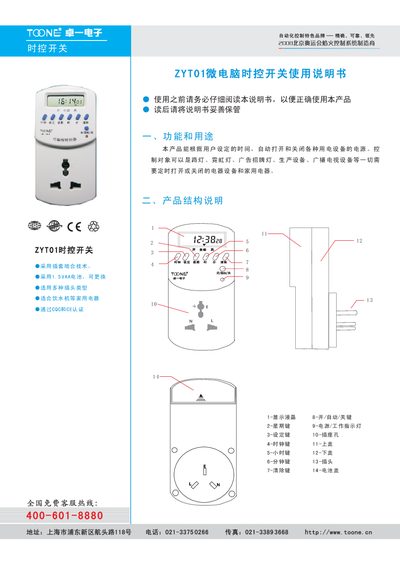
The ZYT01 micro‑computer time control switch can automatically turn on and off electrical loads according to user‑set schedules. It supports up to 16 programmable groups, a timing range of 1 minute to 168 hours, and features an LCD display with keys for hour, minute, weekday, and mode selection.
The manual explains the product’s structure, performance parameters, wiring methods, and step‑by‑step programming procedures. It also covers installation options, maintenance tips, and safety precautions for both household and industrial applications. This manual is written in Chinese.
| Standard operating voltage | AC220V/50Hz |
|---|---|
| Acceptable voltage range | 85%–110% |
| Switch capacity (resistive) | 10 A / 16 A |
| Power consumption | < 4 VA |
| Timing range | 1 min – 168 h |
| Programmable groups | 16 |
| Timing error | < ±2 s/day |
| Operating temperature | -10 °C – 50 °C |
| Relative humidity | < 95 % |
| Dimensions (mm) | 123 × 68 × 60 |
| Weight | 330 g |
The ZYT01 supports 16 programmable groups.
The device consumes less than 4 VA of power.
It operates from –10 °C to 50 °C.
Press and hold the “Clock” key, then press the “Hour”, “Minute”, and “Weekday” keys to adjust the time and date.