
This document introduces the parts names and product specifications of the E210 watch, including average monthly difference, display functions, additional functions, battery display function, etc. It also provides instructions and precautions for operating the watch.
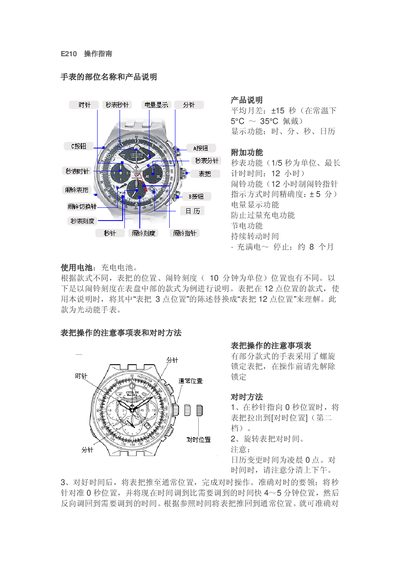
The E210 watch manual explains the functions of the time display, calendar, stopwatch, alarm, and battery indicator. It describes how to set the time and date, operate the 1/5‑second stopwatch (up to 12 hours), and configure the 12‑hour alarm with a 20‑second tone.
Additional sections cover battery status display, solar charging, power‑saving mode, and precautions such as avoiding calendar adjustments between 9 PM and 1 AM. The guide also includes notes on the crown operation for different watch styles. This manual is written in Chinese.
| Display functions | Time, minute, second, calendar |
|---|---|
| Stopwatch resolution | 1/5 second |
| Stopwatch maximum timing | 12 hours |
| Alarm duration | 20 seconds |
| Battery life (full charge) | Approximately 8 months |
The watch shows the battery charge in four segments on the display; the number of illuminated segments indicates the remaining charge.