
COSCON MOBILE iPhone version user manual, provides users with two major functions of cargo tracking and ship schedule query, as well as mobile ship schedule maintenance function
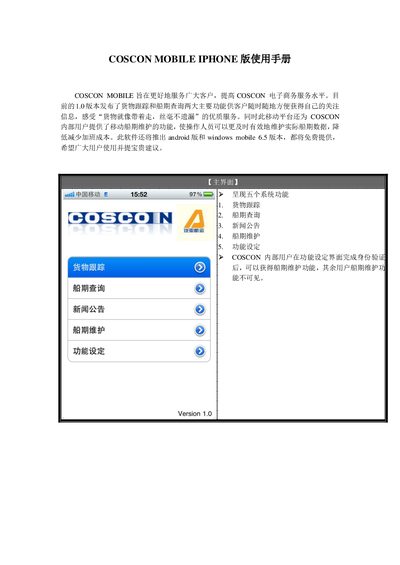
The COSCON MOBILE IPHONE app provides cargo tracking, vessel schedule queries, news announcements, and schedule maintenance functions. Users can enter a COSCON document number or container number to retrieve real‑time status and add items to a watch list for quick access.
The app also supports port‑pair and ship‑name schedule queries, and includes a maintenance interface for internal users to update vessel and port data. Future Android and Windows Mobile 6.5 versions will be offered free of charge. This manual is written in Chinese.
| App Version | 1.0 |
|---|---|
| Supported Platform | iPhone (iOS) |
| Planned Android Version | Free |
| Planned Windows Mobile Version | 6.5, Free |
Enter the document or container number and tap the “Add tracking” button to add it to the watch list.
Tap the “BACK” button to go back to the prior interface.
Enter the ship name in the query field and press the “查询” button to see schedules for the next four weeks.