
USB/MPI+ V4.0 is a USB to MPI and PPI communication protocol converter that supports communication between a computer's USB port and the MPI port of Siemens S7-300/400PLC or the PPI port of S7-200PLC for uploading, downloading programs and data, and monitoring PLCs.
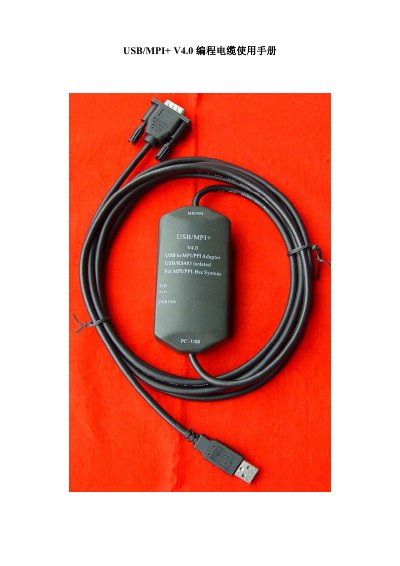
This manual describes the USB/MPI+ V4.0 programming cable, a USB‑to‑MPI/PPI protocol converter that enables a PC to communicate with Siemens S7‑300/400 and S7‑200 PLCs. It details the cable’s optical isolation, surge protection, and power‑over‑USB design, making it suitable for noisy industrial environments.
The document provides step‑by‑step instructions for installing the Siemens PC_Adapter_USB driver, configuring STEP7 or STEP7 Micro/WIN settings, and performing online tests, long‑distance communication, and troubleshooting. It also lists technical specifications such as supported operating systems, baud rates, cable length, and maximum communication distance. This manual is written in Chinese.
| Supported operating systems | Windows2000/XP/Vista |
|---|---|
| Supported STEP7 versions | STEP7 V5.2+ and STEP7 Micro/Win 4.0+ |
| USB interface speed | Full‑speed USB 2.0 compatible |
| Power consumption | ≈100 mA from USB bus |
| Optical isolation voltage | 1000 VDC (up to 3000 VDC on request) |
| RS485 surge capacity | Ipp = 100 A (10/700 µs, 4 kV) |
| Maximum communication distance | 1000 m at 187.5 kbps (2000 m at 9.6 kbps) |
| Cable length | 3 m, black |
| Operating temperature range | -20 °C to +75 °C |
Install Siemens PC_Adapter_USB driver from the Drivers for PC_Adapter_USB V2.0 folder on the supplied CD or download it from Siemens' support site, then run Setup.exe.
No, the USB/MPI+ V4.0 cable is powered directly from the computer’s USB port, drawing about 100 mA.