
TB200 diesel engine controller is a controller with start, fuel supply, speed change and stop functions, has the characteristics of compact structure, small volume, moisture and shock resistance, easy to install.
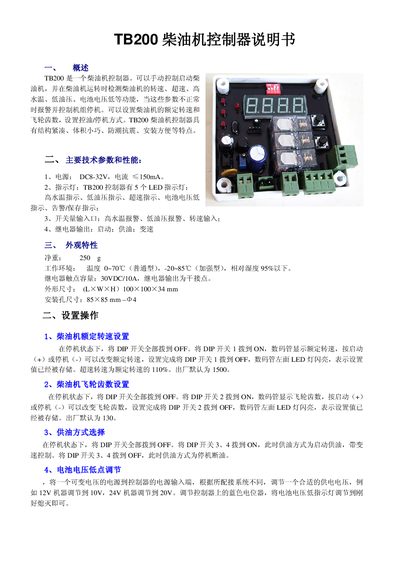
The TB200 is a diesel engine controller that can manually start the engine and monitor parameters such as speed, overspeed, high water temperature, low oil pressure, and low battery voltage. When any parameter is abnormal, the controller alerts and can shut down the unit. It allows setting of rated speed and flywheel tooth count, as well as selecting fuel/stop modes.
The manual details the physical characteristics, power supply requirements, LED indicators, switch inputs, relay outputs, and mounting dimensions. It also explains how to configure settings via DIP switches, the control logic for start‑up and fuel supply, and the protection logic for high water temperature, low oil pressure, overspeed, and low battery voltage. This manual is written in Chinese.
| Power supply voltage | DC 8‑32 V |
|---|---|
| LED indicators | 5 (high water temp, low oil pressure, overspeed, battery low, alarm/save) |
| Switch input signals | High water temp alarm, low oil pressure alarm, speed input |
| Relay outputs | Start, fuel supply, speed change |
| Net weight | 250 g |
| Operating temperature range | 0 °C to 70 °C (standard), -20 °C to 85 °C (enhanced) |
| Maximum relative humidity | ≤95 % |
| Relay contact rating | 30 V DC, 10 A |
| Dimensions (L×W×H) | 100 mm × 100 mm × 34 mm |
| Mounting hole size | 85 mm × 85 mm |
With the controller stopped, set all DIP switches to OFF, turn DIP switch 1 ON, use the start or stop button to adjust the displayed speed, then set DIP switch 1 back to OFF to store the value.
The high‑water‑temperature LED stays on, a delay timer starts, and if the temperature remains high after 60 seconds the controller shuts down the unit.
Supply a variable voltage to the controller’s power input and adjust the potentiometer until the low‑battery LED turns off.