
UH50 ultrasonic heat meter is combined with microprocessor and ultrasonic measurement technology, has no moving parts, has the characteristics of no wear, durable, maintenance-free. Its high precision and high stability are suitable for cold and hot metering.
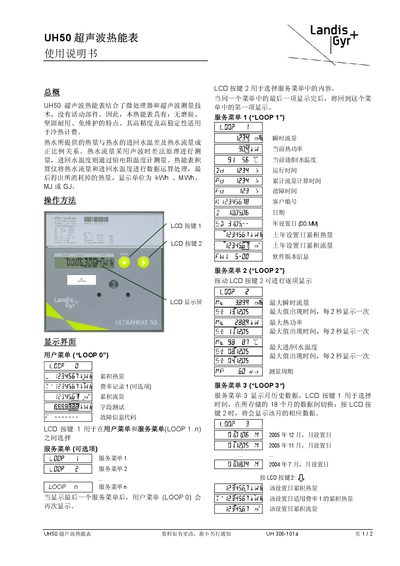
The UH50 ultrasonic heat meter combines a micro‑processor with ultrasonic flow measurement, offering a wear‑free, durable, maintenance‑free solution for hot‑water billing. It calculates heat consumption from flow and temperature difference, displaying results in kWh, MWh, MJ or GJ.
The manual details the LCD interface, user and service menus, historical data storage, fault codes, communication modules (M‑bus and pulse), and EU compliance. It also provides cleaning and safety instructions for authorized personnel. This manual is written in Chinese.
| Display units | kWh, MWh, MJ, GJ |
|---|---|
| Flow measurement principle | Ultrasonic time‑difference method |
| Temperature sensor | Platinum resistance thermometer |
| Maximum instantaneous flow display interval | Every 2 seconds |
| Maximum heat power display interval | Every 2 seconds |
| Maximum temperature display interval | Every 2 seconds |
Press LCD key 1 to toggle between the user menu (LOOP 0) and the service menus (LOOP 1…n).
Fault code F0 means there is air in the flow measurement tube and the system needs to be vented.
Press LCD key 1 to select the month, then LCD key 2 to display the data for that month.