
This document provides information about the vSphere 4.0 and vSphere 4.0 Update 1 maximum configurations, including maximum configurations for virtual machines, ESX hosts, vCenter Server, and vCenter Server Extensions.
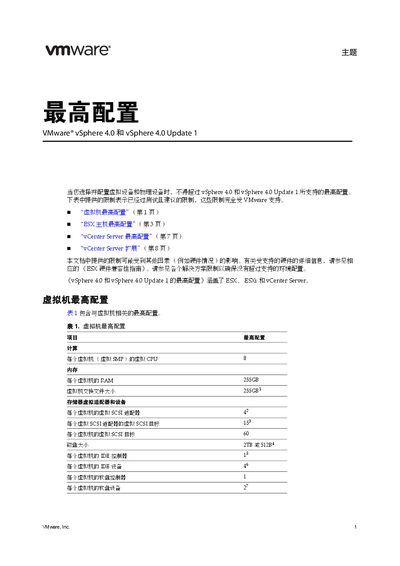
The document provides the tested and supported limits for virtual machines, ESX hosts, and vCenter Server when using VMware vSphere 4.0 and its Update 1. It helps administrators ensure that their deployments stay within the configurations officially supported by VMware.
It includes tables for virtual machine limits (CPU, memory, storage, network), ESX host limits (CPU, memory, storage, networking), and vCenter Server limits (hosts, VMs, clusters, resources). The guide also references related documents such as the ESX Hardware Compatibility Guide. This manual is written in Chinese.
| Maximum virtual CPUs per VM | 8 |
|---|---|
| Maximum RAM per VM | 255 GB |
| Maximum virtual NICs per VM | 108 |
| Maximum virtual SCSI targets per VM | 60 |
| Maximum virtual CPUs per ESX host | 512 |
| Maximum RAM per ESX host | 1 TB |
| Maximum LUNs per host | 2563 |
A virtual machine can be configured with up to 8 virtual CPUs.
A VM can have up to 255 GB of RAM.
Each VM can be assigned up to 108 virtual network adapters.
An ESX host can support up to 3 201 virtual machines.