
This document is about the quick setup guide for MFC-250C and MFC-290C HK versions. It includes steps such as unpacking the device and checking the components, installing paper, connecting the power and telephone lines, and setting the country.
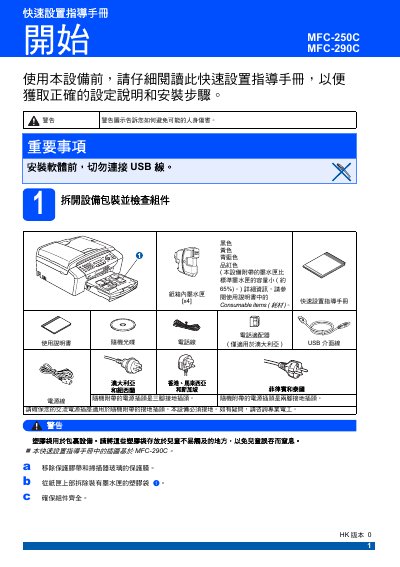
This quick‑set guide provides safety warnings, power‑connection instructions, and country‑setting steps for the Brother MFC‑250C and MFC‑290C all‑in‑one printers. It explains how to connect the appropriate power adapter (only for Australia) and ensures the device is properly grounded before use.
The guide then details ink‑cartridge removal, installation, and initial cleaning cycles, shows how to check print quality with a four‑color test page, and describes selecting fax/telephone receive modes. It also covers cartridge‑replacement alerts and basic troubleshooting steps. This manual is written in Chinese.
| Power plug type | Three‑prong grounded plug (optional two‑prong) |
|---|
On the LCD screen press OK, then select the desired country (Australia or New Zealand) and confirm the choice.
The printer offers four modes: Fax Only, Fax/Telephone, Manual, and External Answering Machine.