
EPIP20-R-15 solar power controller user manual, which introduces the common fault phenomena and treatment methods, technical indicators, main features, controller panel diagram and other contents.
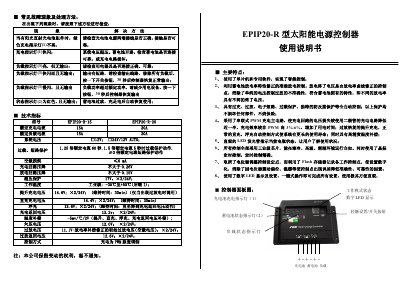
This manual describes the EPIP20-R solar power supply controller, a PWM‑controlled charger designed for solar DC power and lighting systems. It outlines the controller’s main features, such as intelligent microcontroller control, overload and short‑circuit protection, and a digital LED display for easy operation.
The document includes detailed installation steps, wiring diagrams, panel layout, and operating instructions. It also covers fault indicators, load protection behavior, and how to configure the various working modes (pure light control, timed delay, general control, and debugging). This manual is written in Chinese.
| Rated charging current | 15 A / 20 A |
|---|---|
| Rated load current | 15 A / 20 A |
| System voltage | 12 V or 24 V AUTO |
| Overload protection (1.25×) | 60 s |
| Overload protection (1.5×) | 5 s |
| Short‑circuit protection | ≥3× rated current |
| No‑load loss | ≤6 mA |
| Charging circuit voltage drop | ≤0.26 V |
| Discharging circuit voltage drop | ≤0.15 V |
| Over‑voltage protection | 17 V (×2/24 V) |
| Operating temperature range | -35 °C to +55 °C |
It indicates that the system voltage is over the set limit (over‑voltage condition).
Press the button once; the controller will recover normal operation after about 10 seconds.
Hold the mode button for 5 seconds; the LED display will flash the mode number. Release the button and press it repeatedly to select the desired mode.