
This manual provides installation, operation, pairing, and troubleshooting instructions for the 2.4 GHz digital wireless video intercom doorbell system.
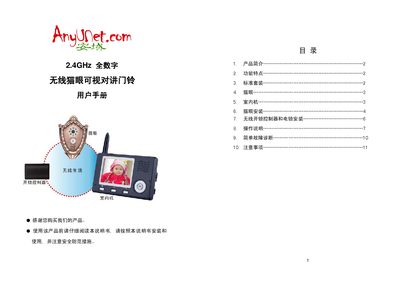
The 2.4 GHz digital wireless video intercom doorbell consists of three units – a door‑viewer (cat eye), an indoor unit and a wireless unlock controller – and is designed for homes, hotels, villas and offices. It supports 2.4 GHz digital frequency‑hopping, encryption, infrared night‑vision, hands‑free intercom, one‑key unlocking and multi‑device pairing.
The manual covers product overview, hardware specifications, step‑by‑step installation of the door‑viewer and unlock controller, pairing procedures for various system configurations, normal operation, battery charging, settings adjustments, and a simple fault‑diagnosis guide with safety precautions. This manual is written in Chinese.
| Compatible door thickness | 35 mm – 110 mm |
|---|---|
| Cat eye hole diameter | 14 mm – 38 mm |
| Wireless range (obstacle‑free) | ≈ 300 m |
| Power adapter input | 100‑240 V 50/60 Hz |
| Power adapter output | 5 V / 1 A |
| Battery type | BL‑5J rechargeable Li‑ion |
| Battery standby (monitor off mode) | ≈ 1 year |
| Battery standby (monitor on mode) | up to 5 days |
| Screen size (indoor unit) | 3.5 inch digital |
| Built‑in ringtones | 16 tones |
One door viewer can be paired with up to four indoor units.
The controller should be within 10 meters of the door viewer to ensure reliable unlocking signals.
Power off the unit, then hold the designated keys while powering on until the screen shows “Delete all photo, please wait”.