
Lazarus is a free Pascal integrated development environment that uses the Freepascal compiler as the backend compiler. It is written in Pascal and has a similar interface style to Delphi, with powerful program development capabilities.
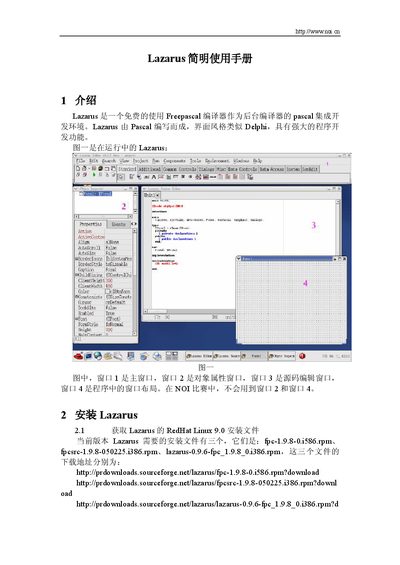
This manual introduces Lazarus, a free Pascal‑based IDE with a Delphi‑like interface. It explains the main windows, menus, and toolbars, and provides a quick overview of the development environment.
The guide covers installation steps for RedHat Linux 9.0, setting up the debugger, creating and compiling projects, and using debugging features such as step‑into, breakpoints, and variable watches. This manual is written in Chinese.
Log in as root, navigate to the directory with the three RPM files, and run rpm -Uvh for each package.
Open Environment → Debugger Options, select “GNU debugger (gdb)” and set the path to /usr/bin/gdb.
Choose File → New…, select “Custom Program”, and click OK to generate a new project with a template.
Click the left margin next to the line number in the source editor to toggle a breakpoint.