
This document provides instructions on how to use the trading tool, including login, communication settings, site testing, and virtual keyboard. It details the steps for buying and selling shares and also explains how to use the market order feature.
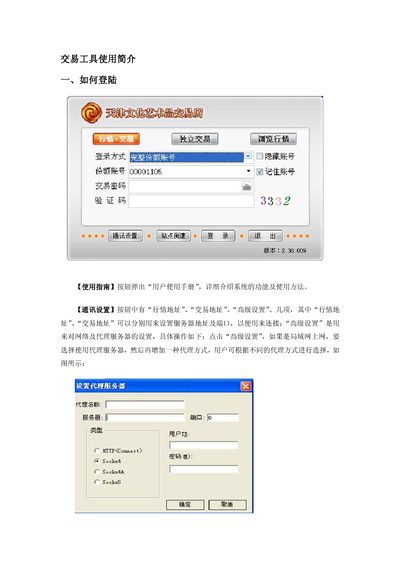
The manual provides a step‑by‑step guide for logging into the Transaction Tool, configuring communication settings such as market and trading server addresses, and adjusting network or proxy options. It also describes the use of the soft keyboard for secure password entry and the site‑testing feature for checking server response times.
Detailed instructions cover trading functions including buying and selling shares, flash (lightning) trades via right‑click, market‑price orders, order cancellation, and password changes. Each operation includes prompts and confirmation dialogs to ensure correct execution. This manual is written in Chinese.
| Software version | 2.30.009 |
|---|---|
| Supported proxy types | HTTP, SOCKS4, SOCKS5 |