
The ES961RC is a cardioid condenser boundary microphone designed for surface-mounted applications such as high-quality sound reinforcement and conferences.
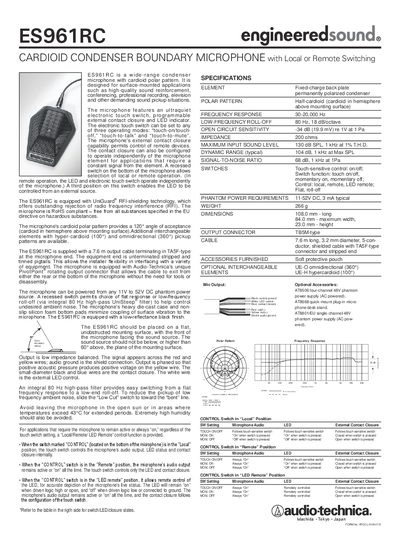
The Shure ES961RC is a wide‑range condenser boundary microphone with a half‑cardioid polar pattern, designed for surface‑mounted applications such as sound reinforcement, conferencing, professional recording and broadcast.
This user manual details the microphone’s specifications, touch‑sensitive switch operation, power requirements, wiring and connector options, interchangeable pickup elements and installation guidelines. This manual is written in Chinese.
| Polar Pattern | Half‑cardioid (cardioid in hemisphere above mounting surface) |
|---|---|
| Frequency Response | 30‑20,000 Hz |
| Low‑Frequency Roll‑Off | 80 Hz, 18 dB/octave |
| Open‑Circuit Sensitivity | -34 dB (19.9 mV) re 1 V at 1 Pa |
| Impedance | 200 Ω |
| Maximum Input Sound Level | 130 dB SPL, 1 kHz at 1 % T.H.D. |
| Dynamic Range (typical) | 104 dB, 1 kHz at Max SPL |
| Signal‑to‑Noise Ratio | 68 dB, 1 kHz at 1 Pa |
| Phantom Power Requirements | 11‑52 V DC, 3 mA typical |
| Weight | 266 g |
| Dimensions | 108 mm × 84 mm × 23 mm (L × W × H) |
| Output Connector | TB5M‑type cable, 7.6 m, 5‑conductor shielded with TA5F‑type connector |
The electronic touch switch can be set to three operating modes—touch‑on/touch‑off, touch‑to‑talk, and touch‑to‑mute—and can be used in local, remote, or LED‑remote control positions.
The microphone can be powered from 11 V to 52 V DC phantom power, drawing about 3 mA typical.
In remote mode the audio output stays on continuously while the touch switch controls only the LED and external contact closure.