
The RI-300 proximity card reader manual describes the operation steps and features of the product, including setting the master card, adding sub-cards, and general operations.
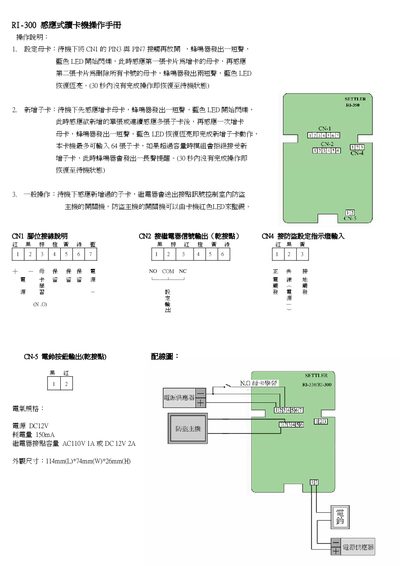
This manual explains how to set up the RI-300 card reader, add sub-cards, and operate it normally. It includes wiring diagrams for CN1, CN2, CN4, and CN5, along with electrical specifications.
The device supports up to 64 sub-cards and uses relay outputs to control security systems. It operates on DC12V and has a compact size of 114mm x 74mm x 26mm. This manual is written in Chinese.
| Power Supply | DC12V |
|---|---|
| Current Consumption | 150mA |
| Dimensions | 114mm(L) * 74mm(W) * 26mm(H) |
It uses DC12V power and consumes 150mA.
It is AC110V 1A or DC 12V 2A.
It is 114mm(L)*74mm(W)*26mm(H).
Under standby, touch PIN3 and PIN7 of CN1 then release, then sense the first card as the add-card master card and the second card as the delete-all master card.