
BZCT7-63B counter is specially designed for electrical systems where accurate meter/count and fast action are needed. The counter has 4 working modes, single and bidirectional, and can be equipped with incremental encoders, strong anti-interference, high counting accuracy, high reliability of preset value, easy to use and clear to read. It can be widely used in the fields of papermaking, printing, textile, rubber, plastic and other industries for length, quantity and flow display and control.
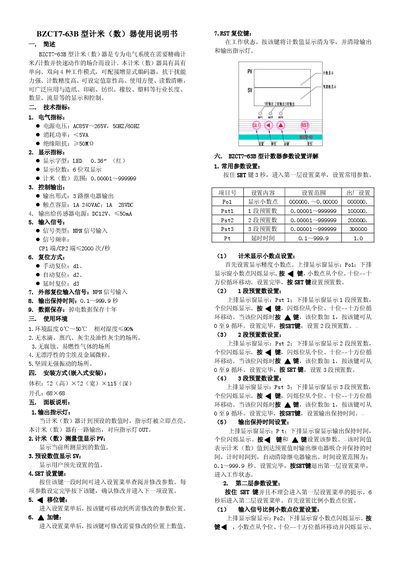
This manual describes the BZCT7-63B meter, designed for accurate length/count measurement in industrial applications such as paper, printing, and plastics. It outlines four working modes, encoder compatibility, and robust anti‑interference features.
Key sections cover technical specifications, installation dimensions, panel functions, parameter settings, wiring diagrams, and environmental requirements, guiding users through setup, configuration, and maintenance. This manual is written in Chinese.
| Power supply voltage | AC85V–265V, 50Hz/60Hz |
|---|---|
| Power consumption | <5VA |
| Insulation resistance | ≥50MΩ |
| Display type | LED 0.36" red |
| Display digits | 6‑digit dual display |
| Metering range | 0.00001–999999 |
| Relay output form | 3‑channel relay output |
| Contact capacity | 1A 240VAC; 1A 28VDC |
| Sensor power output | DC12V, ≤50mA |
| Input signal type | NPN |
| Input signal frequency | ≤2000 pulses/s |
| Output hold time | 0.1–999.9 s |
| Operating temperature | 0 °C–50 °C |
| Relative humidity | ≤90 % |
Press and hold the SET key for 3 seconds to enter the first‑level menu, then use the SET key to adjust parameters such as Po1, Pst1, Pst2, and Pst3 within their specified ranges.
Enter the reset mode setting (Pd) via the SET key; the display will cycle through d1 (manual), d2 (automatic), and d3 (delayed) each time you press the key.
The meter operates on an AC supply ranging from 85 V to 265 V at 50 Hz or 60 Hz.