
This document describes the features and characteristics of Series ZSE40A(F)/ISE40A 2-Colour Display High Precision Digital Pressure Switch, including copy settings function, easy operation, and simultaneous copying to up to 10 switches.
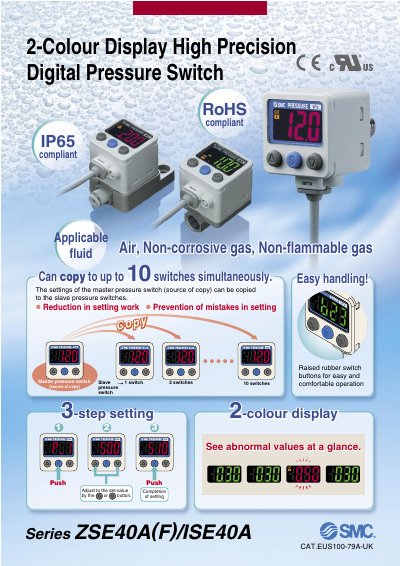
The ZSE40A (F)/ISE40A2 series is a high‑precision digital pressure switch featuring a two‑colour (red/green) LCD, copy capability that allows a master unit to replicate settings to up to ten slave units, and IP65 protection for harsh environments. It supports vacuum, compound, and positive pressure ranges and offers NPN/PNP open‑collector outputs, analogue voltage/current options, and an auto‑shift input.
The manual provides detailed installation guidance, wiring diagrams, mounting options, and ordering information for various piping configurations and brackets. It also lists technical specifications, power‑saving functions, and compliance data such as RoHS and CE markings. This manual is written in Chinese.
| Power supply voltage | 12 to 24 VDC ±10% |
|---|---|
| Output type | NPN or PNP open collector, 2 outputs |
| Current consumption | 45 mA or less |
| RoHS compliance | Yes |
| Operating temperature range | -5 to 50 °C |
Up to 10 slave switches can be copied simultaneously from the master unit.
The LCD uses red and green colours, which can be switched according to the output.
It turns off the display to reduce power consumption by up to about 20 %.