
This user manual provides instructions on how to use CAN BUS connectors, applicable vehicle models, conditions for using CANBUS connectors, and a functionality table.
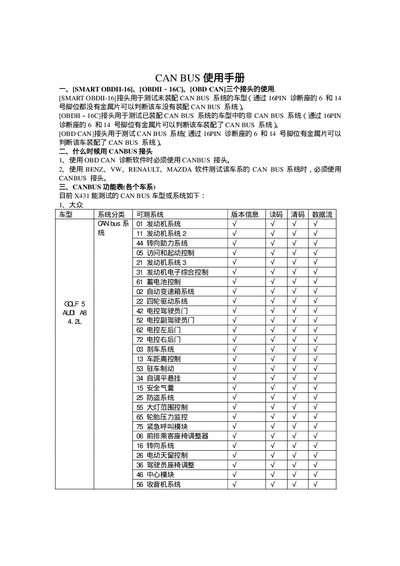
This manual describes the three X431 CAN BUS connectors—SMART OBDIL16, OBDII‑16C, and OBD CAN—and explains which connector to use based on whether a vehicle is equipped with a CAN BUS system. It also lists the vehicle makes and systems that can be diagnosed with the X431 tool.
The document provides a functional table of CAN BUS systems for various manufacturers (Volkswagen, Nissan, Mazda, Renault, Mercedes, Ford, etc.) and details how to obtain the CAN BUS connector and OBD CAN diagnostic software from the X431 website or local distributors. This manual is written in Chinese.
| Supported connectors | SMART OBDIL16, OBDII‑16C, OBD CAN |
|---|---|
| Software standard supported | ISO15765‑4 (CAN) |
Use the SMART OBDIL16 connector; the 6 and 14 pins have no metal pieces, indicating the vehicle lacks a CAN BUS system.
It is required when using OBD CAN diagnostic software or when testing CAN BUS systems on Benz, VW, Renault, or Mazda vehicles.
Download the OBD CAN diagnostic software for free from the X431 website and purchase the CAN BUS connector from a local distributor or dealer.