
NA210 Temperature Controller User Manual, the main functions include temperature display, temperature control, compressor start delay protection, temperature probe abnormal alarm and other functions. The temperature display range is -50~125°C, and the temperature setting range is -45~120°C.
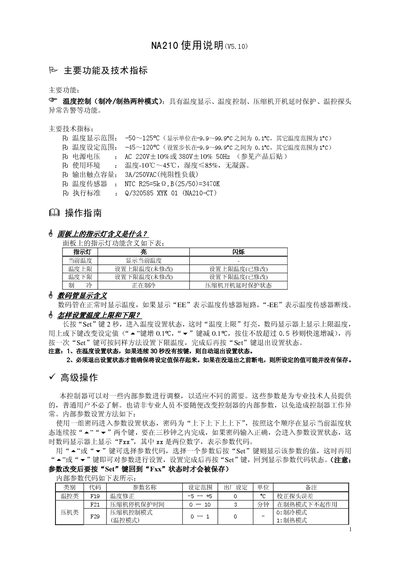
The NA210 controller provides heating and cooling temperature control with features such as temperature display, set‑point limits, compressor start‑delay protection, and sensor fault alerts. Technical specifications include a temperature display range of –50 °C to 125 °C, a setting range of –45 °C to 120 °C, and a 3 A/250 VAC output contact capacity.
The manual explains normal operation, how to adjust upper and lower temperature limits, and how to access advanced parameter settings using a password sequence. It also includes wiring diagrams, safety notes, and guidance on sensor placement and grounding. This manual is written in Chinese.
| Temperature display range | -50 to 125 °C |
|---|---|
| Temperature setting range | -45 to 120 °C |
| Power supply voltage | AC 220 V ±10 % or 380 V ±10 % 50 Hz |
| Operating environment | Temperature -10 °C to 45 °C, humidity ≤85 %, no condensation |
| Output contact capacity | 3 A / 250 VAC (pure resistive load) |
| Temperature sensor type | NTC R25=5 kΩ, B(25/50)=3470 K |
| Execution standard | Q/320585 XYK 01 (NA210‑CT) |
The display shows “EE” when the temperature sensor is short‑circuited; “‑EE” indicates the sensor is disconnected.
Enter the password sequence “up‑down‑up‑down‑up‑up‑down‑down” by quickly pressing the “^” and “v” keys within three seconds; the display will show “Fxx” and allow parameter adjustment.