
This is the Chinese version manual of KS-1008/16IP, which introduces the accessories, hardware installation, software and network settings, login IP-KVM, remote control, hot key switching computer host and cascading.
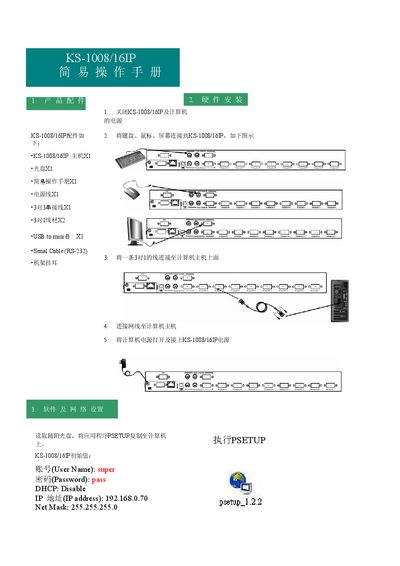
The manual shows how to connect the KS-1008/16IP to a computer using the serial cable, USB, and network cable, then power up the unit. After powering on, copy the PSETUP application from the supplied CD to the computer and run it to configure the device.
Network configuration is performed through the device’s web interface. The default IP address is 192.168.0.70 with a net mask of 255.255.255.0, and DHCP can be enabled if desired. The default login credentials are username "super" and password "pass". Once logged in, you can adjust settings, enable remote KVM control, and customize keyboard, mouse, and hot‑key functions. This manual is written in Chinese.
| Default IP address | 192.168.0.70 |
|---|---|
| Default username | super |
| Default password | pass |
| DHCP | Disabled |
The default username is "super" and the default password is "pass"; you can change them after the first login.
Click the Sync icon in the upper‑right corner; the local cursor will pause briefly and then synchronize with the remote cursor.