
YF-5000 is a control keyboard used to control the rotation, zoom, aperture, focus, and camera parameter settings of a camera/PTZ.
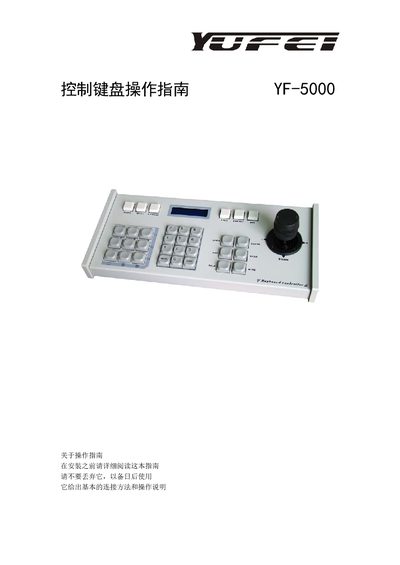
This manual describes the YF-5000 control keyboard used to operate PTZ cameras or pan‑tilt‑zoom devices. It covers basic wiring, RS485 communication setup, power requirements, and environmental limits, ensuring proper installation and safe handling.
Detailed instructions explain the function of each key, menu navigation, preset handling, auxiliary switch control, and protocol/baud‑rate configuration for PELCO‑D, PELCO‑P, and MOLYNX protocols. Safety notes and transport/storage guidelines are also included. This manual is written in Chinese.
| Communication baud rates | 2400/4800/9600/19200 bit/s |
|---|---|
| Maximum communication distance | 1200 m (0.3 mm twisted pair) |
| Power supply | 9‑12 V DC |
| Operating temperature range | 0 °C to +40 °C |
| Maximum relative humidity | < 90 % |
| Maximum number of controllable cameras | 255 |
The keyboard can control up to 255 integrated PTZ cameras or decoder units via RS485.
It supports 2400, 4800, 9600, and 19200 bits per second.
Press the numeric key for the desired address, then press the CAM key to set the camera number.
Press the numeric key followed by the ON key to turn the auxiliary switch on, or the OFF key to turn it off.