
This manual introduces how to install and configure Barracuda Spam Firewall
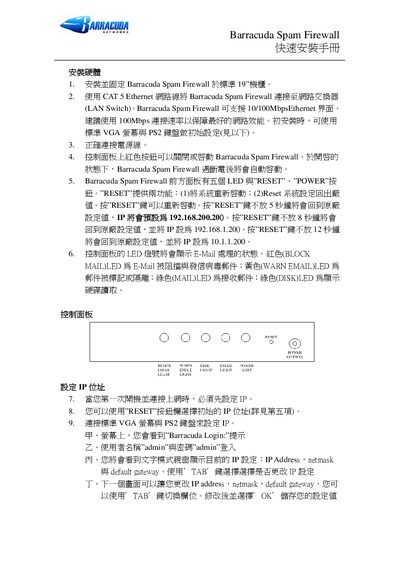
This guide walks you through the physical installation of the Barracuda Spam Firewall, including mounting in a 19" rack, connecting power and Ethernet, and using the front‑panel LEDs for status. It also covers the initial configuration via the VGA monitor and PS/2 keyboard, default login credentials, and basic network settings.
Further sections describe accessing the web interface, configuring IP address, subnet mask, gateway, email server settings, port forwarding, firmware upgrades, and optional global quarantine options. This manual is written in Chinese.
| Default Username | admin |
|---|