
This is a watch manual that introduces how to set digital time, date, daylight saving time, local city code, 12/24 hour time and illumination duration
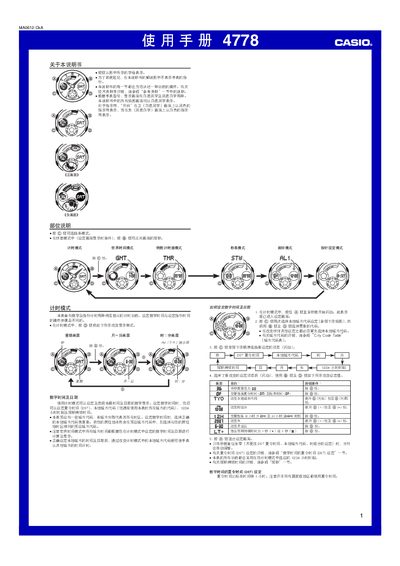
This manual explains how to operate the Casio 4778 digital watch. It covers each mode—timing, world time, countdown timer, stopwatch, alarm, hand‑setting and illumination—providing step‑by‑step button sequences and important notes.
The guide also includes reference data such as city‑code tables, daylight‑saving settings, LED illumination duration, and safety warnings for automatic illumination while using the watch in various activities. This manual is written in Chinese.
| Year setting range | 2000‑2039 |
|---|---|
| Number of daily alarms | 5 |
| Display modes | positive (white background, black text) and negative (black background, white text) |
In any mode, hold the B button for about 2 seconds to toggle the automatic illumination indicator on or off.